Sprites! Sprites! Sprites!
date: 10/21/2026
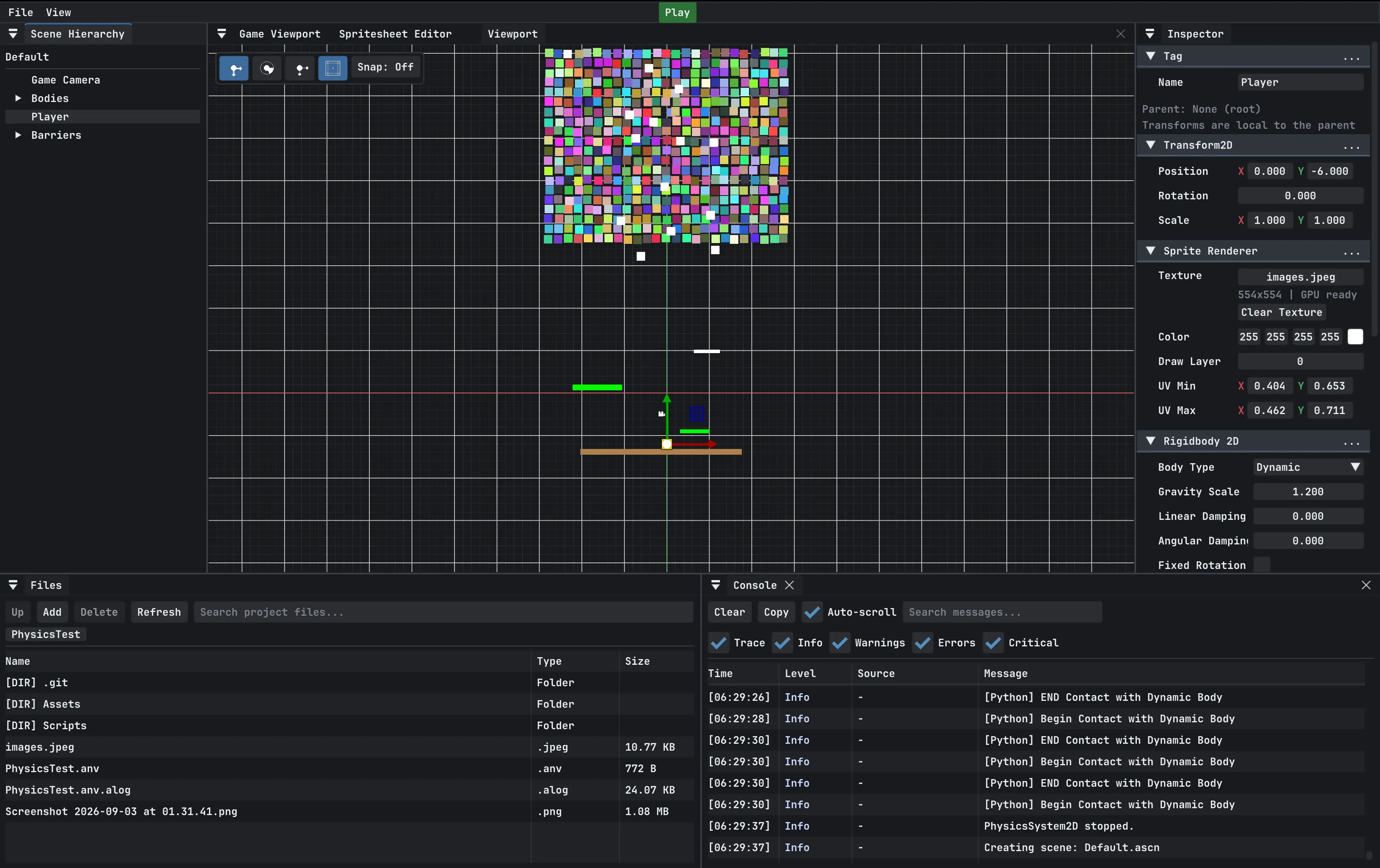
Overview
Section titled “Overview”Today’s development focused on expanding Anvil Engine’s 2D rendering capabilities and improving the Forge Editor’s workflow.
Until now, Anvil could render textured sprites, but each sprite was limited to displaying an entire texture. This made working with spritesheets difficult and left us without an efficient foundation for tilemaps or sprite animation.
That changes with today’s update.
We’ve introduced per-sprite UV coordinates across the rendering pipeline, built the first version of Forge’s Spritesheet Editor, and continued improving the editor’s viewport and sprite editing tools.
The result is a more capable and practical environment for developing 2D games.
Per-Sprite UV Coordinate Support
Section titled “Per-Sprite UV Coordinate Support”The first major change was extending the SpriteRenderer component with two new properties:
glm::vec2 uvMin{0.0f, 0.0f};glm::vec2 uvMax{1.0f, 1.0f};These coordinates determine which region of a texture is displayed by a sprite.
Previously, a sprite always used the entire texture. Now, we can specify a smaller region and render it without having to generate or load an entirely separate texture.
Rendering Pipeline Changes
Section titled “Rendering Pipeline Changes”To support this, several areas of Anvil’s rendering pipeline were updated:
- Added UV Min and UV Max properties to
SpriteRenderer. - Added serialization and deserialization support for UV coordinates.
- Extended
QuadSubmissionto carry individual sprite UV regions. - Updated
Renderer2D::DrawQuad()and the rendering API. - Updated the scene submission process to preserve UV coordinates.
- Maintained full-texture rendering as the default behavior.
An important consideration was preserving the existing sprite batching system.
Vulkan Implementation
Section titled “Vulkan Implementation”Vulkan’s sprite batching stage now calculates texture coordinates using each quad’s individual UV bounds.
Because batching is still organized around shared textures, multiple sprites can display different regions of the same spritesheet without requiring a separate texture for each sprite.
This allows us to expand sprite rendering functionality while retaining the performance benefits of the existing batching implementation.
Metal Implementation
Section titled “Metal Implementation”Metal required a slightly different approach.
We extended the Metal sprite uniform structures with UV coordinates and modified the vertex shader to calculate the appropriate texture region.
While Vulkan calculates the final UV coordinates during CPU-side vertex generation, Metal performs the calculation in its vertex shader.
Both implementations now follow the same public rendering interface.
The Vulkan implementation has been built and visually tested. Metal runtime verification remains a separate task.
Forge Spritesheet Editor
Section titled “Forge Spritesheet Editor”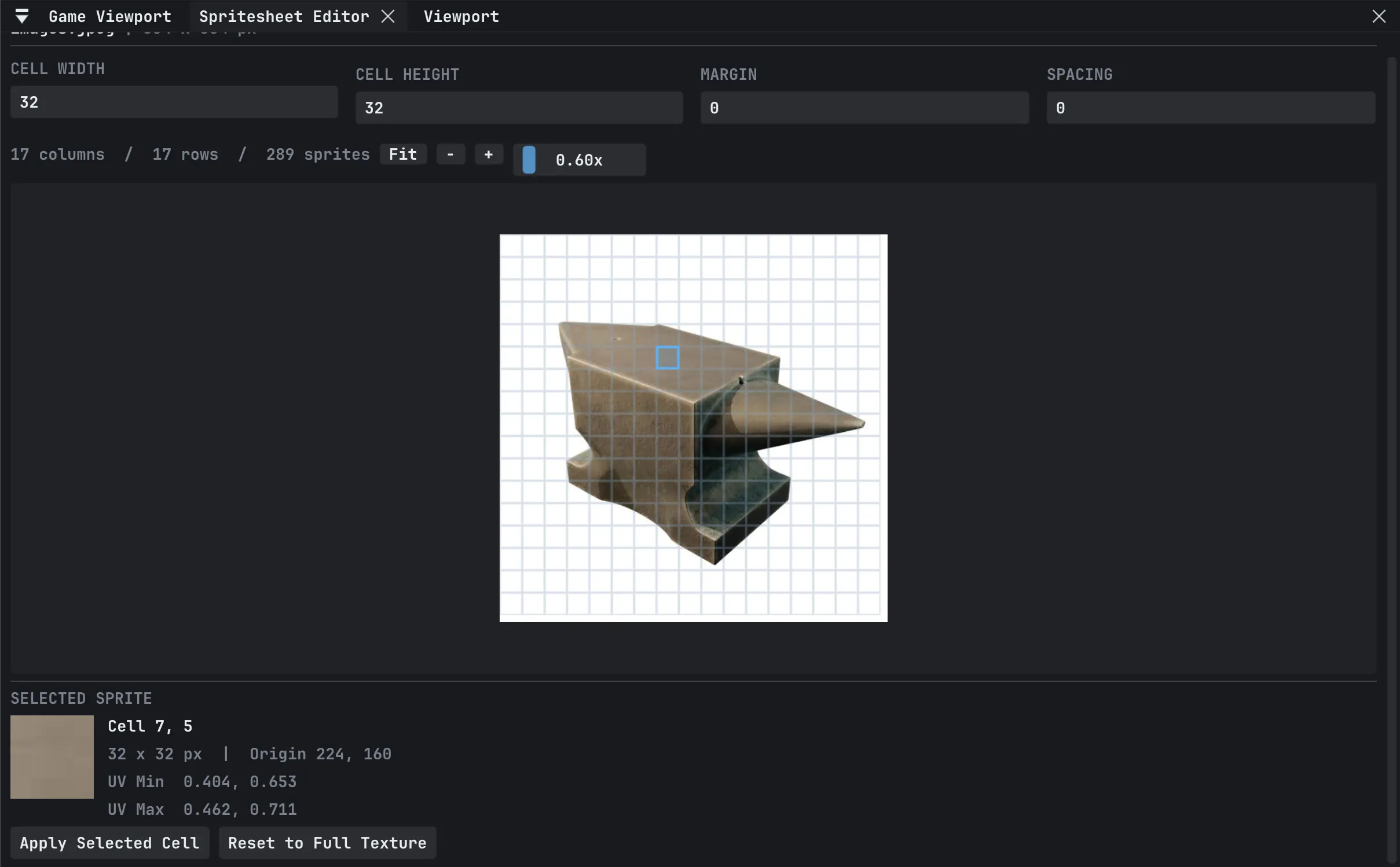
One of today’s biggest additions is the new Spritesheet Editor, available through:
View → Tools → Spritesheet Editor
Rather than requiring developers to calculate texture coordinates manually, Forge can now display a texture, divide it into a configurable grid, and allow individual sprite regions to be selected visually.
Features
Section titled “Features”The initial implementation includes:
- A visual preview of the selected texture.
- Configurable cell dimensions.
- Adjustable margins and spacing.
- Automatic grid generation.
- Clickable sprite selection.
- Normalized UV coordinate calculation.
- Applying selected regions directly to a Sprite Renderer.
- Resetting sprites to their full texture.
- Automatic saving of UV changes.
After the initial implementation, we continued refining the interface.
The spritesheet preview now supports automatic centering, fit-to-view, zoom controls, and mouse-wheel zoom. Selected cells are highlighted, and a dedicated preview displays the currently selected sprite alongside its pixel dimensions and UV coordinates.
These changes make working with spritesheets considerably easier, particularly when dealing with small pixel-art assets.
The editor was also intentionally designed without direct dependencies on Vulkan or Metal. Instead, it uses Anvil’s existing public texture interface, keeping Forge’s editor tools independent of the underlying graphics API.
Sprite Renderer Improvements
Section titled “Sprite Renderer Improvements”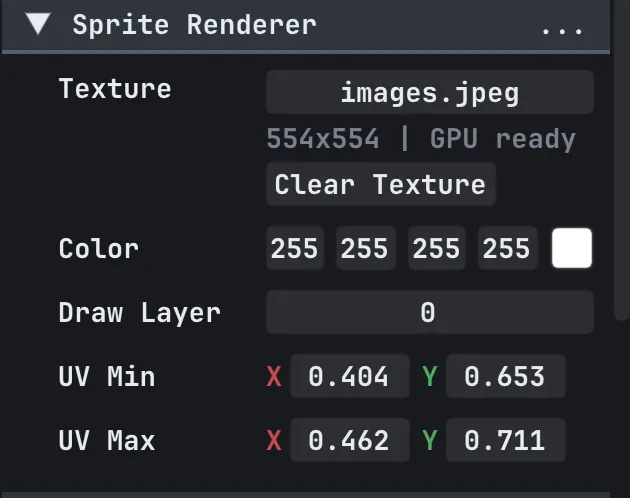
Alongside the new Spritesheet Editor, we expanded the Sprite Renderer component’s Inspector interface.
Developers can now view and modify UV Min and UV Max directly from Forge’s Inspector.
This provides two ways to work with texture regions: manually entering normalized UV coordinates or selecting sprites visually through the Spritesheet Editor.
The UV properties are serialized with the scene, allowing sprite regions to persist between sessions.
We also corrected a rendering issue where the optimized scene submission path was failing to forward UV coordinates to the renderer.
Although the rendering backends were correctly handling UV data, sprites continued displaying their entire textures because that data was being lost during scene submission.
After correcting the submission process, individual texture regions rendered as expected.
Grid and Viewport Improvements
Section titled “Grid and Viewport Improvements”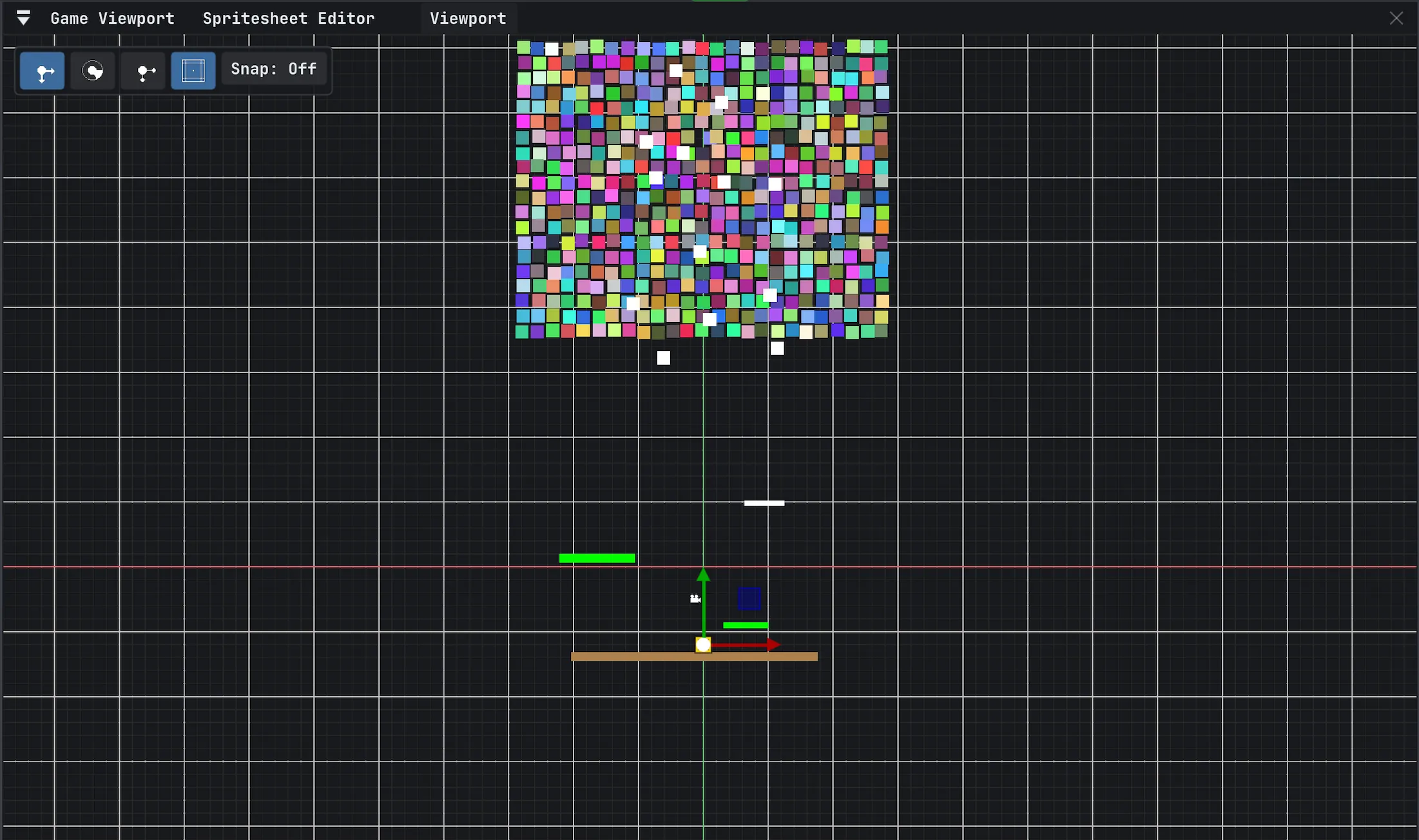
We also continued refining Forge’s scene viewport to make everyday editing more convenient.
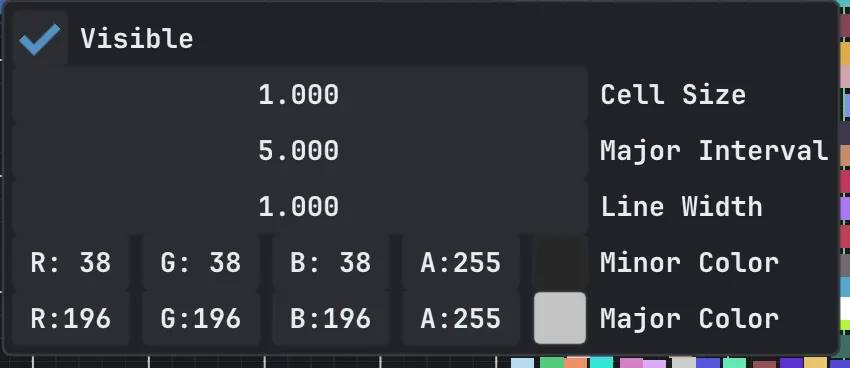
A procedural grid provides a visual reference for object placement and scene composition. The grid includes configurable settings and distinct X and Y axes to make orientation easier.
Viewport Toolbar
Section titled “Viewport Toolbar”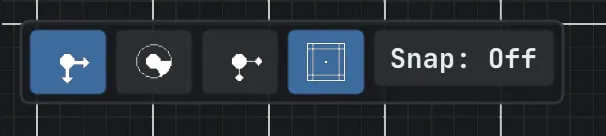
The viewport now includes a compact toolbar providing direct access to commonly used editing tools.
Translation, rotation, and scaling can be selected without relying entirely on keyboard shortcuts.
Grid controls are also accessible directly through the viewport interface, keeping frequently used settings close to the scene being edited.
Transform Snapping
Section titled “Transform Snapping”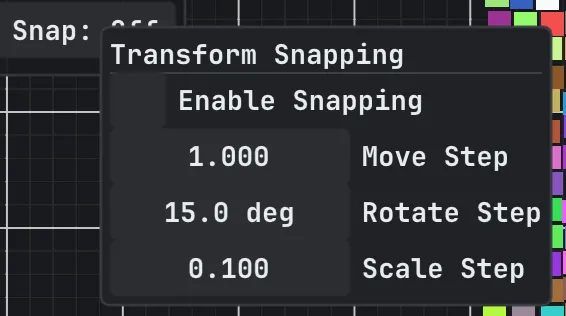
Transform snapping was another useful addition to Forge’s editor workflow.
Developers can enable snapping and configure separate increments for translation, rotation, and scaling.
This is particularly useful for 2D environments where consistent positioning is important, especially as we move toward implementing tile-based level editing.
These tools are editor-specific and do not change the underlying runtime behavior of scene entities.
What’s Next?
Section titled “What’s Next?”With spritesheet rendering and selection now working, we have a solid foundation for expanding Anvil’s 2D toolset.
The next major feature will be sprite animation.
Our goal is to allow developers to select multiple frames from a spritesheet, arrange them into animation clips, and configure playback directly through Forge.
Eventually, we want animation playback to integrate with Anvil’s Python scripting system through a simple interface such as:
self.entity.animator.play("Run")Beyond sprite animation, tilemap editing is another major goal. The UV rendering system introduced today will allow individual tiles to reference regions of shared tileset textures.
There is still considerable work ahead, but today’s progress brings Anvil closer to supporting complete 2D game development workflows.
Closing Thoughts
Section titled “Closing Thoughts”Today’s work was an important step forward for both Anvil Engine and Forge.
What started as a relatively small change to the sprite rendering system developed into an entirely new editor workflow.
We now have working per-sprite UV rendering, an interactive Spritesheet Editor, improved Inspector functionality, and a growing collection of viewport editing tools.
These features may seem small individually, but together they establish the foundation for more advanced systems like sprite animation and tilemap editing.
Spritesheet Editor v1 is complete. Next up: bringing those sprites to life.