Editor Tooling and the Road to a Playable Game
date: 07/22/2026
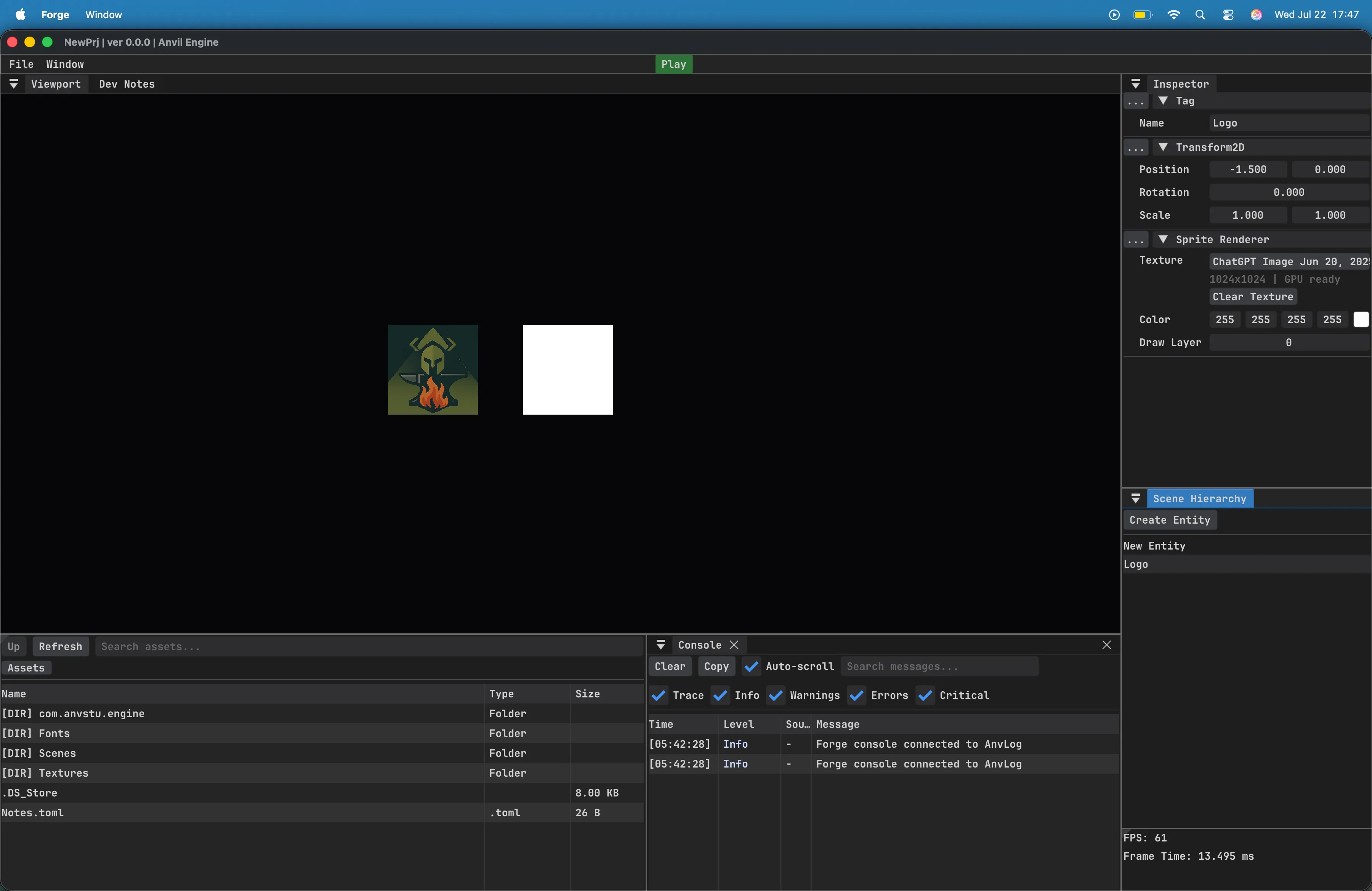
Anvil Engine has reached an important transition point: the renderer and editor foundations are now strong enough that development can begin shifting toward gameplay systems.
The latest work focused on making Forge easier to debug and giving the engine a more dependable asset pipeline. These changes are less visually dramatic than a new rendering feature, but they are essential for building complete projects without fighting the editor.
Metal and Vulkan Renderer Parity
Section titled “Metal and Vulkan Renderer Parity”The Metal backend has now caught up with the Vulkan renderer for the engine’s current feature set.
Both backends use the same high-level rendering abstractions for scene drawing, render targets, textures, and editor viewport output. This means future rendering features can be designed once and implemented through each platform backend without creating separate editor behavior for macOS and Windows.
Reaching parity also marks the end of the initial macOS bring-up phase. Metal is no longer just displaying a proof-of-concept frame; it is now capable of supporting the same editor workflow as Vulkan.
Forge Launcher
Section titled “Forge Launcher”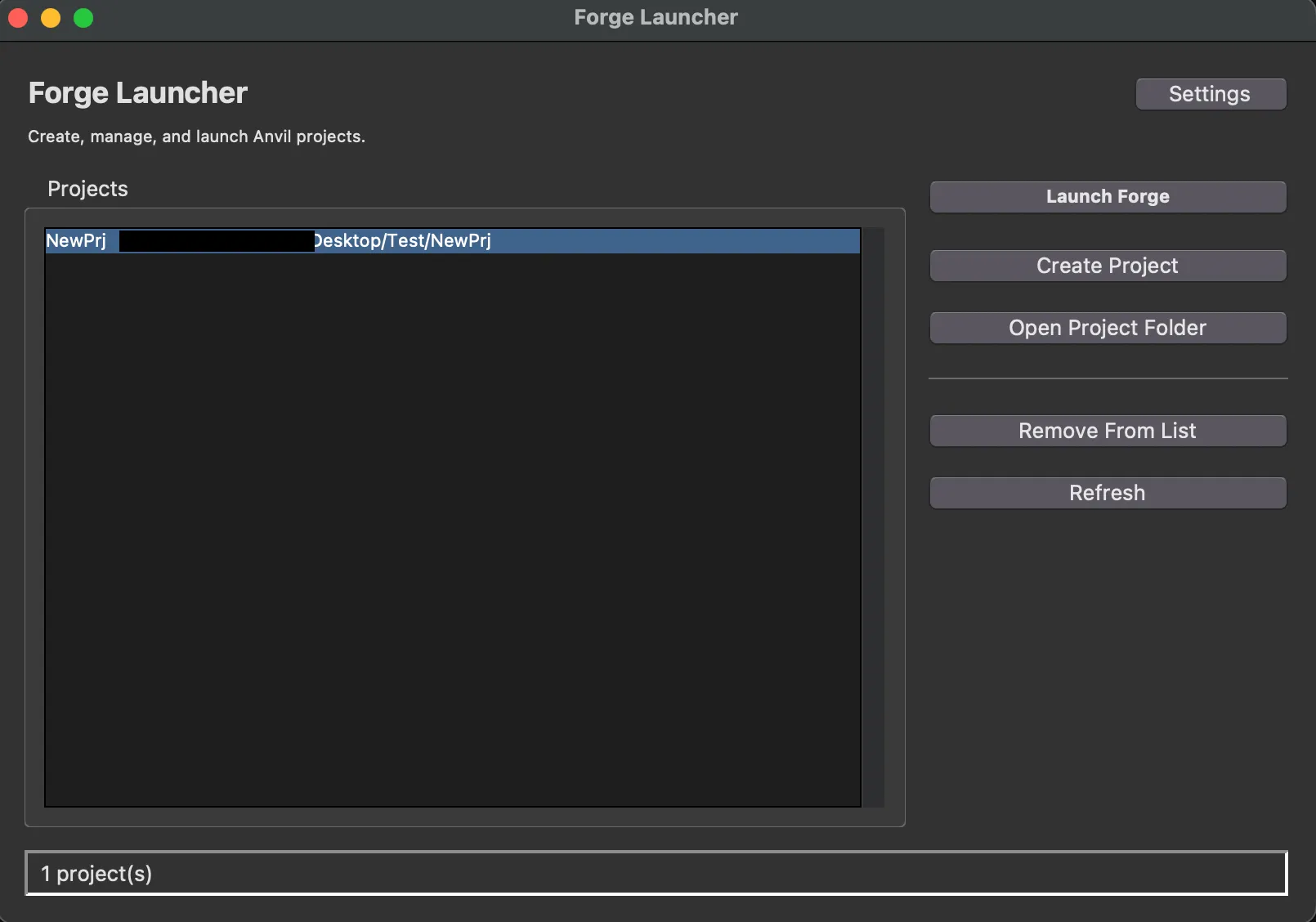
The Forge Launcher makes it so much simpler to create and launch projects. Simply set the executable path and your default projects
directory (default is home) and you’re ready to go.
Asset Registry Improvements
Section titled “Asset Registry Improvements”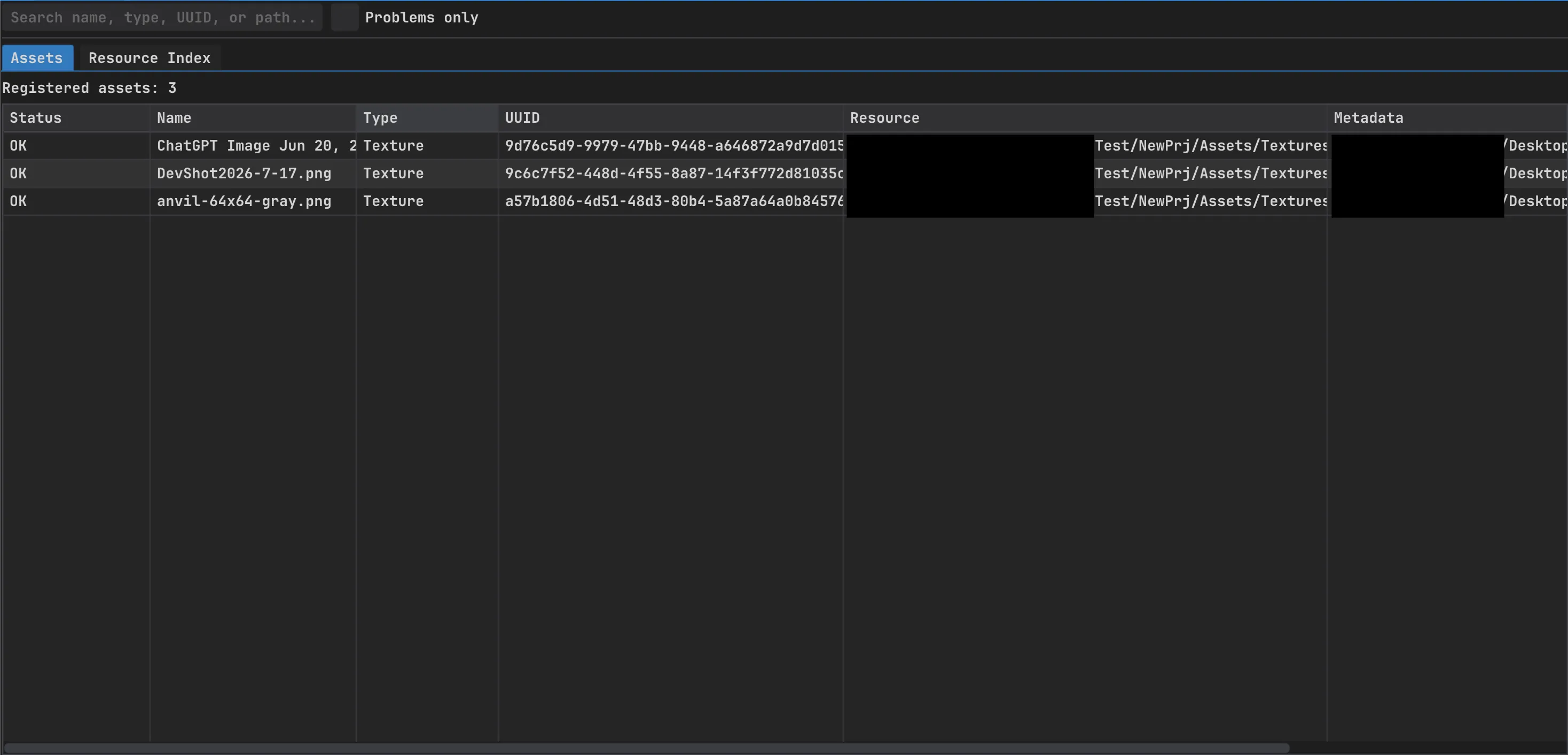
The asset system now maintains a consistent relationship between registered assets, metadata files, and normalized resource paths.
Forge includes a new Asset Registry panel for inspecting that data directly. The panel provides:
- Search and filtering
- Asset UUID inspection
- Resource and metadata path inspection
- Missing-file detection
- Resource index validation
- Quick copying of UUIDs and paths
This makes asset failures visible inside the editor instead of requiring manual inspection of project files or debugger state.
The registry work also resolved an asset duplication issue caused by unstable resource-path handling. Asset lookups now use normalized, persistent paths when indexing resources.
Sprite Renderer Improvements
Section titled “Sprite Renderer Improvements”
Easily set the texture on a sprite.
Built In File Browser
Section titled “Built In File Browser”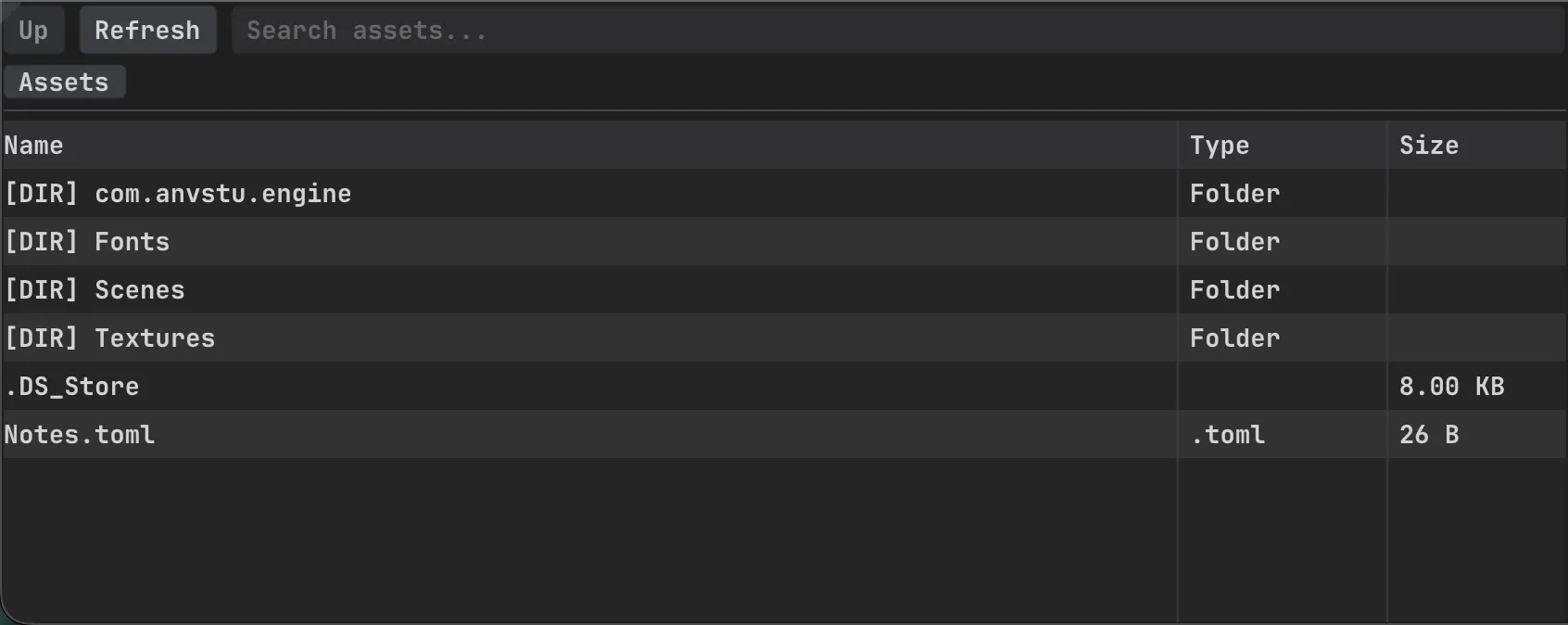
Easily navigate and drag/drop textures into the sprite renderer or into the scene.
Integrated Console Panel
Section titled “Integrated Console Panel”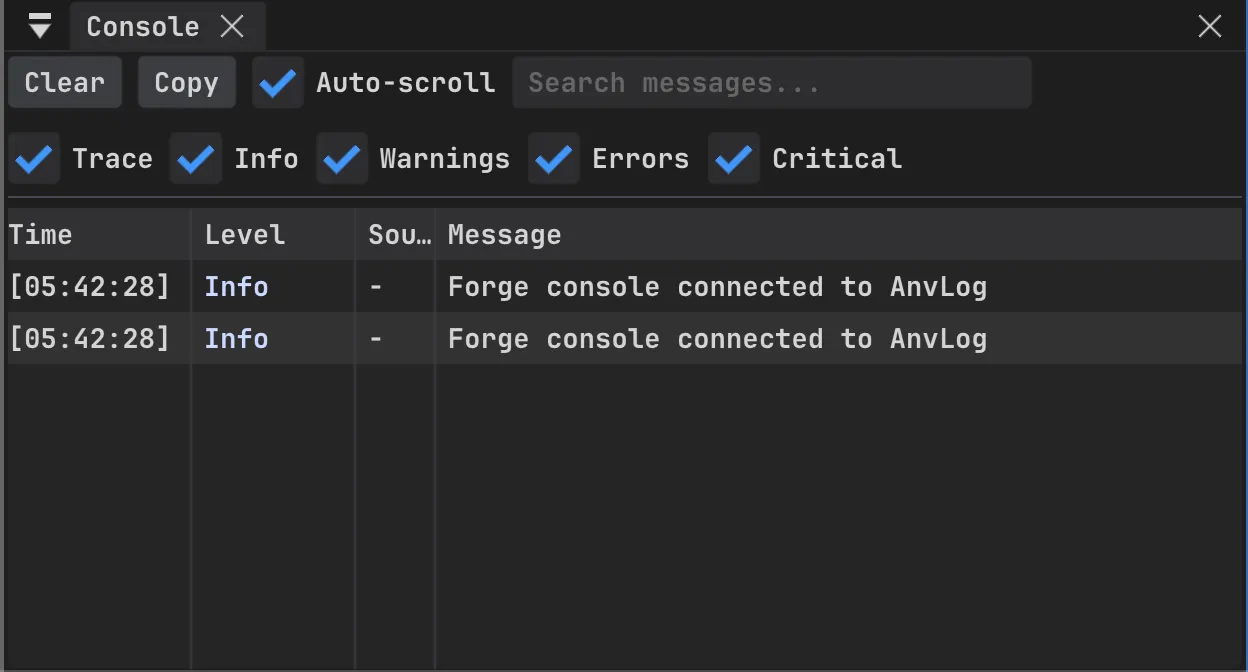
Forge now has an integrated console panel connected directly to Anvil’s logging system.
Existing engine log calls automatically appear in the editor while continuing to support terminal and file output. The console currently includes:
- Severity filters
- Text search
- Auto-scroll
- Clear and copy controls
- Per-message timestamps
- Optional source labels
- Thread-safe message collection
The logging library exposes a callback sink, allowing Forge to receive structured log records without introducing an ImGui dependency into the engine logger.
This is especially useful for renderer diagnostics, asset loading failures, shader compilation errors, and future script exceptions.
Misc Improvements
Section titled “Misc Improvements”Window Menu
Section titled “Window Menu”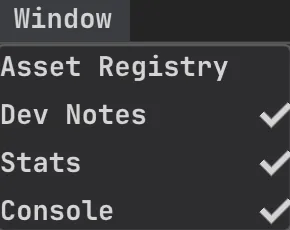
a new Window menu item allows you to close non essential windows.
Viewport Movement Fix
Section titled “Viewport Movement Fix”Viewport movement, such as camera zoom and panning, only happen if the viewport is focused
What Can Be Built Now?
Section titled “What Can Be Built Now?”Anvil is approaching the point where a small game can be created entirely with the current engine foundations.
The engine already has the major pieces required for an editor-driven 2D project:
- Cross-platform rendering through Vulkan and Metal
- Scene and entity management
- Transform components
- Offscreen viewport rendering
- Asset registration and metadata
- Editor inspection tools
- Input handling
- Logging and diagnostics
The largest remaining gameplay milestone is scripting.
Next: Native Gameplay Scripting
Section titled “Next: Native Gameplay Scripting”The first scripting implementation will focus on native C++ scripts with a small lifecycle:
OnCreate()OnUpdate(float deltaTime)OnDestroy()
Scripts will be attached to entities through a script component and will have access to entity components, input, transforms, and scene state.
Starting with native scripting keeps the first implementation small and allows the engine API to be tested through a real game before committing to a larger managed-language system such as C# or Lua.
The next practical milestone is simple: create a project where a scripted entity can move, interact with the scene, and survive repeated play-and-stop cycles inside Forge.
Once that works, Anvil will have crossed the line from an editor and rendering framework into a usable game engine.